SESSION 01
Practice
Teams evaluate tyre behaviour, aerodynamic balance, fuel loads and setup changes. Practice is useful for learning the circuit and seeing which teams look comfortable over short and long runs.
Best for technical fans
Watch Formula 1 Canada with a complete guide to official coverage, race-weekend formats, compatible devices, internet preparation and practical ways to enjoy every session with fewer interruptions.
Formula 1 weekends move quickly. Practice, qualifying, sprint sessions and the Grand Prix can all take place at different times, so preparation matters as much as choosing a screen.
This Watch Formula 1 Canada guide is designed for viewers who want a clear, practical setup before lights out. It explains where Canadians can confirm authorized coverage, how the weekend structure works, which devices are best suited to live motorsport and what internet conditions generally produce the most reliable experience.
Canadian viewers can consult Formula 1’s official broadcast directory for current broadcaster information. Formula 1 lists TSN and RDS among the Canadian broadcasters, while the official F1 TV service provides its own apps and device support. Availability, language, subscription level and included sessions can vary, so always verify the current event page and provider details before purchasing access.
For a smoother viewing experience, avoid waiting until the formation lap to sign in. Install the relevant official app, complete any updates, confirm your subscription and test playback in advance. A five-minute preparation check can prevent password resets, software updates or device pairing problems from interrupting the opening laps.
IPTVEZEN also publishes practical Canadian streaming and device guides. Browse our installation guides, compare premium plans, or contact support when you need help preparing a compatible player or television.
Not every weekend follows exactly the same format. Standard events and Sprint weekends place competitive sessions at different points of the schedule.
Teams evaluate tyre behaviour, aerodynamic balance, fuel loads and setup changes. Practice is useful for learning the circuit and seeing which teams look comfortable over short and long runs.
Best for technical fansDrivers compete through timed qualifying segments to determine the starting order. Track evolution, traffic, weather and tyre timing can change the result in seconds.
High-pressure lap timeSelected weekends include a shorter competitive race. Sprint formats may change the order and timing of practice and qualifying, so check the official weekend timetable carefully.
Shorter, faster actionThe main race combines pace, tyre management, overtaking, pit strategy and reliability. Arrive early for the grid, national anthem, formation lap and final pre-race analysis.
Lights out on SundayThe official 2026 season includes 24 Grand Prix weekends. Below are selected events useful for Canadian viewers planning the rest of the season.
Schedules can be revised. Confirm each session through the official Formula 1 calendar before race weekend.
To watch Formula 1 Canada, choose an authorized service available in Canada that matches your preferred language, device and subscription type.
Formula 1’s current broadcast information lists TSN and RDS for Canada. French-language and English-language availability may differ by provider and package. F1 TV also offers dedicated Formula 1 content through supported platforms, but the exact live features and subscription options should be confirmed directly for your region.
When comparing services, review more than the headline price. Check whether the package includes practice, qualifying, Sprint sessions, the Grand Prix, replays, onboard cameras, live timing or additional analysis. Also confirm how many devices may stream simultaneously and whether the app supports your television or streaming box.
Confirm the date, start time, session format and any late schedule changes.
Compare the broadcaster, language, app support and included sessions before subscribing.
Install updates, sign in and test video and audio before the live session starts.
A phone, tablet or laptop can help when the television app needs troubleshooting.
The Canadian Grand Prix is one of the most recognizable events on the Formula 1 calendar, combining a fast street-style circuit, heavy braking zones and unpredictable race-day conditions in Montreal.
Fans who watch Formula 1 Canada often pay special attention to Circuit Gilles-Villeneuve because the layout rewards confidence under braking and punishes small mistakes. Long straights create overtaking opportunities, while the chicanes and the famous final corner can quickly change the running order.
When you prepare to watch Formula 1 Canada during the Montreal weekend, check every session time separately. Practice, qualifying and the Grand Prix may appear in different time zones depending on the broadcaster, device settings or official calendar page. Canadian viewers should confirm whether a schedule is displayed in Eastern Time or automatically converted to local time.
Weather can also influence the Canadian Grand Prix. Track temperature, rain and safety-car periods often affect tyre strategy and pit timing. For that reason, watching the pre-race build-up can be valuable, especially when teams are choosing between dry and intermediate tyres.
For more Canadian sports viewing information, explore the IPTVEZEN blog, review the channel list, or visit the general FAQ before choosing a setup.
A strong race-day setup should be simple, stable and easy to recover if one app or screen stops working.
Install the official broadcaster or F1 TV app when supported, sign in before race day and keep the television firmware current. If the native app is slow or unavailable, a compatible external streaming device may provide better performance.
Fire TV devices are convenient for television viewing when the chosen service offers a supported application. Restart the device before major events, clear unnecessary background apps and confirm enough storage remains for updates.
See our Firestick Canada guide for additional device preparation tips.
Google TV and Android TV devices provide access to many streaming applications through the Play Store. Use the latest official app version, confirm your Google account region and test playback before the race begins.
Our Android Box Canada guide covers installation and performance basics.
Apple TV can deliver smooth navigation and consistent app performance. Connect by Ethernet where convenient, enable automatic updates and verify the video output matches your television’s supported resolution and frame rate.
Visit our installation guides for more setup information.
Phones and tablets are useful for travel, backup viewing and official timing. Use Wi-Fi to avoid excessive mobile-data consumption, keep the screen charged and confirm that simultaneous viewing is permitted by your subscription.
A modern browser can be a reliable alternative when a television app has problems. Update the browser, disable conflicting extensions, enable hardware acceleration and connect the laptop to a television with HDMI when you want a larger display.
The best device to watch Formula 1 Canada supports your chosen official app, receives regular software updates and connects reliably to your home network.
A recent smart television offers the simplest living-room setup when the official service provides a native app.
Dedicated players often provide faster navigation, more frequent app updates and stronger long-term support.
Mobile devices are useful for secondary viewing, travel, live timing or as an emergency backup screen.
A modern laptop or desktop can offer a reliable wired connection and an easy way to verify account access.
A projector can create a large race-day experience, provided brightness, sound and input latency are suitable.
Some fans combine the main broadcast with timing, telemetry or official companion content on another device.
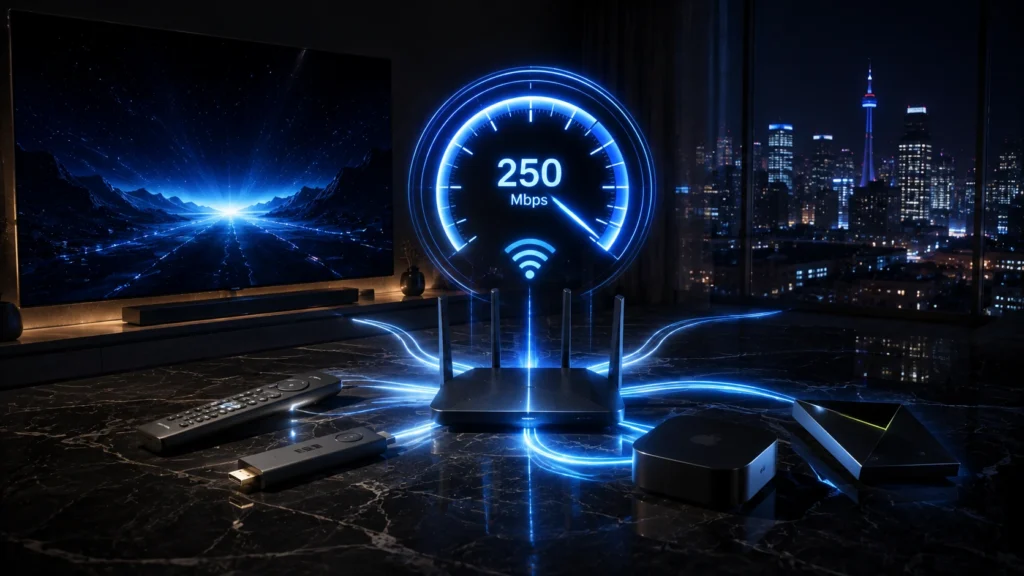
When you watch Formula 1 Canada, resolution is only part of the equation. Stability, Wi-Fi strength, congestion and device performance can matter just as much as advertised speed.
May be enough for one HD stream on a stable connection, with limited background activity.
Provides more headroom for reliable high-definition viewing and light use on other devices.
Useful when several people are streaming, gaming, calling or downloading at the same time.
If problems appear while you watch Formula 1 Canada, work through the simplest causes first and avoid changing several settings at once.
Pause downloads, move closer to the router, switch to Ethernet or temporarily reduce video quality. Compare the same stream on another device to isolate the issue.
Force-close the app, restart the device and check for updates. Avoid leaving many background apps open on lower-powered televisions and boxes.
Confirm the selected language and audio track. Check television, receiver, soundbar and HDMI output settings, especially after switching inputs.
Reset the password through the official service, confirm the subscription is active and make sure device limits have not been reached.
Automatic quality may start low while the app measures the connection. Wait briefly, then check device resolution, HDMI capability and network conditions.
Canadian start times vary across provinces and territories. Confirm whether the schedule is shown in Eastern, local circuit or device-local time.
Use these official pages to verify race dates, broadcaster information, Canadian Grand Prix details and supported F1 TV platforms.
Review every Grand Prix weekend, current dates and official race pages.
Open Formula1.com → Canadian coverageConfirm the broadcasters currently listed by Formula 1 for Canada.
Check broadcasters → Official streamingReview current subscription options, features and supported devices directly.
Visit F1 TV → Montreal race hubFind official Canadian Grand Prix news, schedule information and circuit details.
Open race hub → Circuit guideLearn about the Montreal circuit, its history and distinctive characteristics.
Read circuit guide → IPTVEZEN helpAsk about compatible devices, setup guidance and available service options.
Contact IPTVEZEN →Clear answers to common questions Canadian viewers ask before a Formula 1 weekend.
Formula 1’s official broadcast information lists TSN and RDS for Canada. F1 TV also offers official Formula 1 content and supported apps. Confirm current event coverage, language and subscription requirements directly with the provider.
Yes, provided your chosen authorized service offers an app compatible with the television. An external streamer such as Apple TV, Fire TV, Google TV, Roku or another supported device may be useful when a native television app is unavailable.
A stable 25 Mbps connection gives useful headroom for a high-definition stream, while faster service may be appropriate for 4K viewing or homes with several active devices. Actual requirements depend on the provider, resolution and network conditions.
The official 2026 Canadian Grand Prix weekend took place from May 22 to May 24 at Circuit Gilles-Villeneuve in Montreal. Use the official Formula 1 race hub for results, highlights and current information.
Qualifying determines a starting order through timed laps. A Sprint is a shorter competitive race held on selected weekends. The precise format can evolve, so always check the official timetable for that event.
French-language coverage may be available through providers such as RDS, depending on the event and package. Confirm the current schedule, language and access requirements directly with the broadcaster.
Common causes include weak Wi-Fi, network congestion, background downloads, an outdated app or an overloaded device. Test Ethernet, restart the app and router, close unused apps and compare playback on another device.
Ethernet is usually the most stable option for a fixed television or streaming box. Strong 5 GHz or 6 GHz Wi-Fi can also work well when the device is close to a capable router with limited interference.
The best option is an authorized Canadian streaming service or official F1 platform that carries the sessions you want. Compare language, replay access, device compatibility and subscription terms before selecting a service.
You may be able to watch on a supported phone, tablet or laptop, but availability can depend on the provider, subscription and region. Confirm travel access and download the official app before leaving home.
Opening the stream 15 to 30 minutes before the scheduled start gives time to solve login, update, audio or connection problems and lets you follow the pre-race coverage.
A current streaming device connected by Ethernet, an updated official app, a stable internet plan and a backup mobile device provide a practical and reliable race-day setup.
Explore IPTVEZEN plans, check trial availability and review the installation guides for your television, streaming box, phone or tablet.